

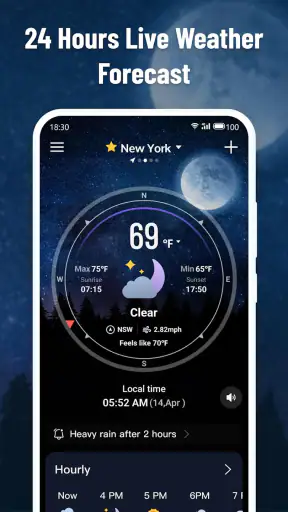
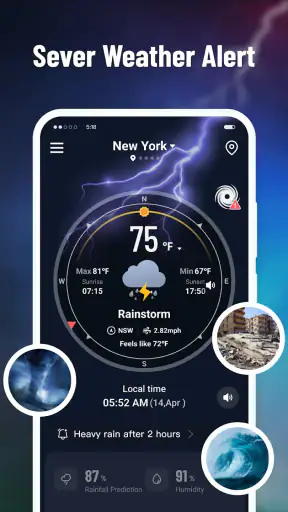
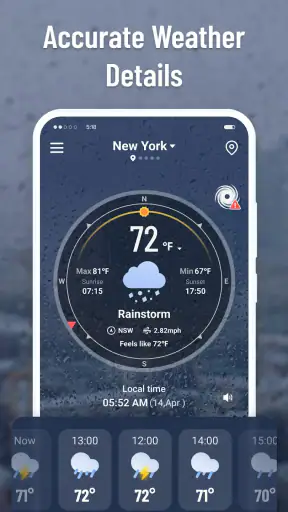
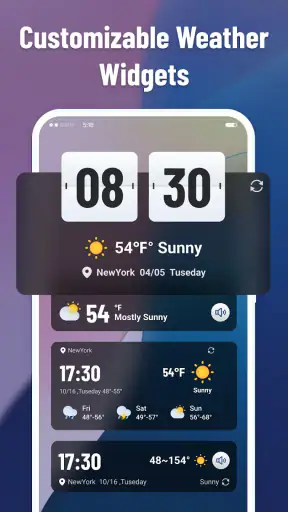
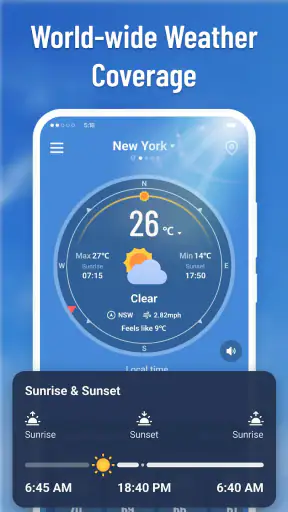
Weather apps often try to do too much at once, filling the screen with maps, alerts, forecasts, widgets, and long explanations. Know Weather: Live Radar takes a more focused route. Developed by ReadMore, this free weather app is built around a simple promise: help me understand what the weather is doing right now, especially when conditions are changing. After using it as a practical day-to-day tool, I found its strongest value in the way it encourages quick visual checking rather than making me dig through a long forecast.
That focus matters because a forecast is not always enough. If I am deciding whether to walk, cycle, drive, take a child to the park, or leave laundry outside, I usually care less about the weather several days from now than I do about what is moving toward my area during the next part of the day. The live-radar approach gives that decision a more immediate context. The useful idea here is not simply seeing rain, but seeing whether the situation is approaching, passing, or clearing.
Why the live radar is the app’s defining strength
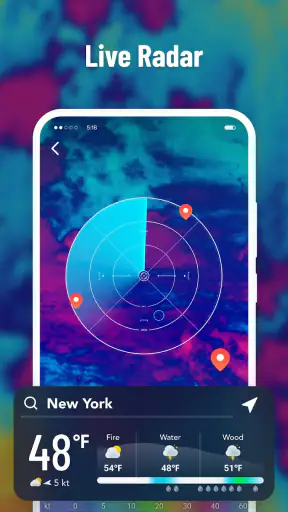
In my experience, the most valuable capability in Know Weather: Live Radar is its emphasis on observing current weather activity instead of treating the forecast as a fixed answer. A normal forecast can tell me that rain is expected, but a radar view helps me judge how that rain relates to my location and timing. That difference is small on paper and surprisingly important in everyday use.
For example, “rain today” can mean a brief shower in the morning, a broad band arriving later, or scattered activity that may never reach my street. A radar-centered view gives me a better way to interpret the forecast. I can look for movement and coverage, then decide whether I need to change plans immediately or simply keep an eye on the sky.
This makes the app particularly appealing for people who dislike overcomplicated weather dashboards. Rather than opening an app only to scroll past several panels, I can use it as a quick visual checkpoint. The experience is closer to asking, “What is happening around me now?” than asking, “Can I read an entire meteorological report?”
Know Weather: Live Radar is also easy to approach because it is rated for Everyone and works on devices running Android 7.0 or later. That broad compatibility makes it a practical option for people using older phones who do not want a demanding weather tool. It is available without a purchase, which lowers the barrier to trying it alongside an existing weather app.
The app has attracted a strong audience, with an average rating of 4.5 from around 17 thousand ratings and more than 5 million installs. Those figures do not replace personal testing, but they do suggest that the straightforward weather-checking idea connects with many users. I can understand why: the app is easier to value when I need a fast decision rather than an exhaustive forecast.
Reading the radar instead of merely looking at it
A radar screen can seem self-explanatory, but it becomes more useful when I treat it as a sequence rather than a static picture. I first locate my area, then look at the shape of the weather around it. A compact patch near my location suggests a different decision from a wide band extending across the map. I then consider its direction and whether the activity appears to be moving toward or away from me.
This is one of the app’s less obvious benefits: it can help me build a habit of checking timing, not just labels. A forecast icon may show rain, while the radar view helps answer whether I should leave now, wait briefly, or carry protection for the entire outing. It is not a replacement for judgement, but it gives that judgement a more useful visual starting point.
I also recommend checking the app at two separate moments when plans matter. A first look before leaving shows the broad situation. A second look shortly before departure can reveal whether the pattern has shifted. That simple workflow is more reliable than opening the app once, accepting the first forecast phrase, and assuming the day will follow it exactly.
The same approach works for outdoor work. If I were painting, gardening, cleaning a balcony, or planning a delivery route, I would use the radar to decide whether a task should start now or wait. The benefit is not that the app makes a perfect promise. The benefit is that it helps me avoid treating a general forecast as if it described every minute equally.
What using it feels like in a normal day
Imagine leaving work in the late afternoon with a fifteen-minute walk ahead. The forecast indicates possible showers, but that alone does not tell me whether I should go immediately or wait. I open Know Weather: Live Radar and check the current pattern around my location. If the rain is moving away, I may leave without changing plans. If a larger area is approaching, I may wait, take another route, or choose transport instead.
That scenario shows where the app earns its place. It is not trying to replace every weather source; it is helping me make a near-term choice with less guesswork. The same check is useful before a school pickup, a dog walk, a short bike ride, or a trip to a nearby shop. These are ordinary decisions, but they are exactly where a current visual view can be more useful than a long list of hourly entries.
For travel, I would use it as a departure tool rather than a complete trip planner. Before starting a drive, I can check whether weather is developing around the immediate route area. However, I would not rely on it alone for a long journey, severe-weather preparation, or decisions where official warnings are essential. A live radar view is strongest when the question is local and immediate.
Another practical use is comparing what I see outside with what the app shows. If clouds are building but the radar indicates activity is still some distance away, I may have time to finish a task. If the display shows nearby movement, I know not to assume that a clear moment will last. Over time, this makes the app more useful because I become better at interpreting patterns instead of reacting to a single icon.
Where the focused design helps, and where it asks more from me
The main trade-off is that a radar-first experience depends on the user being willing to interpret visual information. Someone who wants one plain sentence such as “take an umbrella at three o’clock” may prefer a conventional forecast app with a stronger emphasis on hourly summaries. Know Weather: Live Radar is more helpful when I want context and am comfortable making the final call myself.
That also means the app should not be treated as an authority for every weather decision. Radar can show activity, but it does not remove uncertainty. Small showers can change quickly, and a clear-looking gap may not last. I use the display as evidence, not as a guarantee. For serious conditions, I would still check official local alerts and follow local guidance rather than depending on a general-purpose app.
There is another trade-off between simplicity and completeness. A focused tool can be faster because it does not force me through unnecessary information, but users who want deep climate details, extensive historical records, specialized forecasts, or a broad collection of planning tools may find the experience limited compared with a larger weather platform. That is not necessarily a flaw; it is a question of whether the radar view matches the job.
I also would not install it expecting a live map to solve poor location habits. If I check the wrong area, fail to account for the route ahead, or look only once before a changing event, the result can still be misleading. My best results came from using the app deliberately: identify the relevant place, observe the movement, and check again when the decision is time-sensitive.
Small workflows that make the app more useful
My first recommendation is to use it before leaving, not only after rain starts. A quick look while preparing gives me time to change shoes, protect equipment, or move an outdoor task indoors. Waiting until conditions are obvious reduces the advantage of having current visual information.
Second, use the radar to compare alternatives. If I have two possible walking routes, I can check which direction keeps me away from the most active area for longer. This does not require a complicated plan. Even a basic comparison between “leave now” and “leave later” can make the display more actionable.
Third, avoid staring at the screen continuously. The app is most useful as a checkpoint. I look, form a plan, and then check again only if the weather is changing or the activity is important. That keeps it from becoming a source of unnecessary anxiety while still giving me a better basis for decisions.
Fourth, pair the radar with common sense about the environment. A map may show a gap, but local streets can flood, paths can become slippery, and strong wind can make a short shower more disruptive than the color pattern suggests. The app improves awareness; it does not replace observation or local knowledge.
Who should choose it over a broader weather app?
I think Know Weather: Live Radar is best for people who make frequent short-range outdoor decisions. Walkers, cyclists, dog owners, commuters, parents, gardeners, and anyone who works outside can benefit from seeing weather activity in relation to their plans. It is also a good fit for users who find full-featured weather apps distracting and want a free tool that gets to the immediate question quickly.
It can be especially useful as a companion app. I would keep a broader forecast service for longer-range planning and use this one when I need to understand what is happening now. That combination makes sense because the two tools answer different questions: one helps organize the day or week, while the radar view helps decide whether the next outing should happen immediately.
On the other hand, I would skip it if my priority is a detailed planning system rather than current conditions. Someone arranging a multi-day trip, studying weather history, or needing specialized information may be better served by an app designed around those tasks. Likewise, users who want completely passive guidance may prefer a service that puts alerts and plain-language summaries ahead of map interpretation.
The developer, ReadMore, has kept the concept accessible enough for a wide audience, and the current release is version 1.3.5. I found that combination of a free price, Everyone content rating, and older Android compatibility reassuring for casual use. It feels like an app I can recommend without asking a friend to commit to a complicated setup or a paid subscription.
My final take after using its radar-centered approach
Know Weather: Live Radar works because it concentrates on a real problem: forecasts describe possibilities, but people often need to know what is moving toward them right now. The app’s live-radar focus gives me a practical way to connect weather information with a decision, whether that means leaving immediately, waiting a little, changing a route, or taking protection.
Its limitations are tied to the same design choice that makes it useful. It is not the most natural fit for someone seeking a complete weather encyclopedia or a fully automatic recommendation. I still need to interpret what I see, consider local conditions, and use official sources for serious situations. But for ordinary, near-term choices, that small amount of judgement feels worthwhile.
My recommendation is simple: install it if your weather questions usually sound like “Will this pass before I leave?” or “Is that rain heading here?” Keep a broader forecast app if you plan far ahead, but give this one a place in your daily routine when timing matters. For quick local decisions, a clear view of movement can be more useful than another page of forecast text.


